



We need your support: can you donate the cost of a takeaway coffee a week? Please consider a donation
Scannen Sie diesen Code, um diese Tastatur auf einem anderen Gerät zu laden
GFF Amharic Classic-Tastatur
This is an Amharic (amh, አማርኛ) language mnemonic input method for mobile platforms designed in the style of English “QWERTY” layout as found on iPhones and iPads. The package should only be installed on mobile and tablet devices. The keyboard is also suitable for Tigrinya and Agew languages such as Awngi, Blin, and Khimtanga.
If you are seeking an Amharic keyboard for a laptop, desktop, or workstation computer, please use GFF Amharic instead.
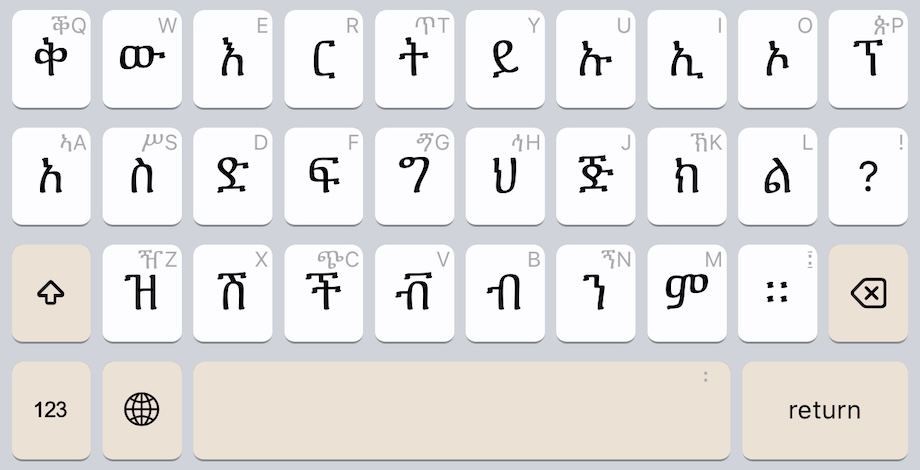
Keyboard Initial State
The keyboard begins in the familiar layout used on English (Latin Alphabet) keyboards:
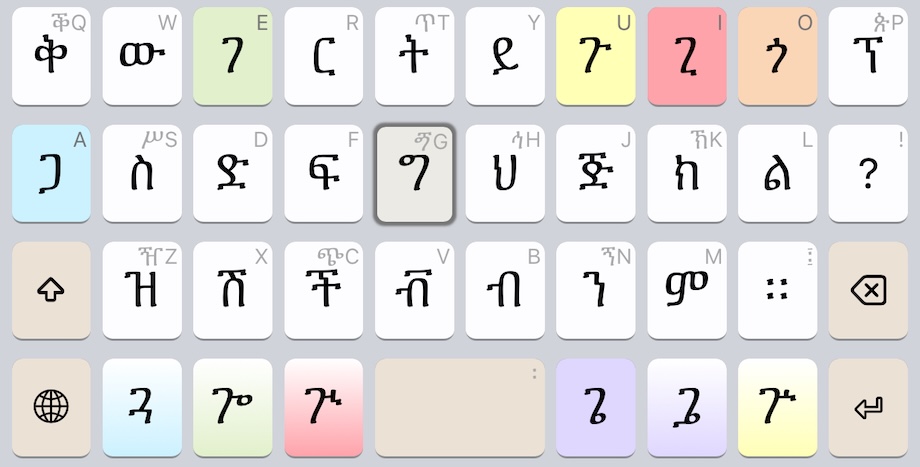
The keyboard updates as you type. For example, this is the keyboard change after pressing the ግ key:
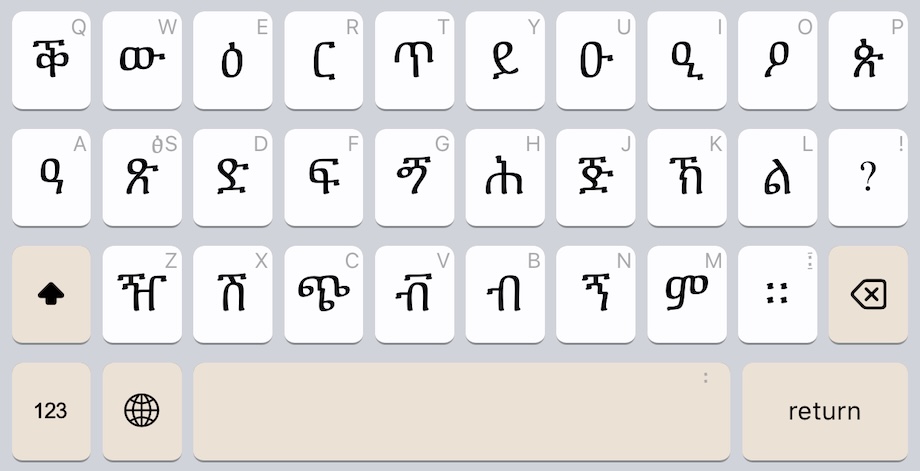
Keyboard Shifted State
Just as with English keyboards, the SHIFT key makes more letters appear:
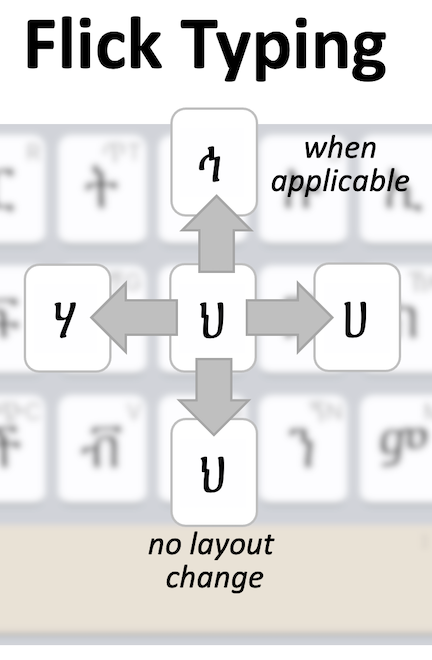
Flick Typing
Every key supports “flicking” to making typing even faster. See the help file for full details.
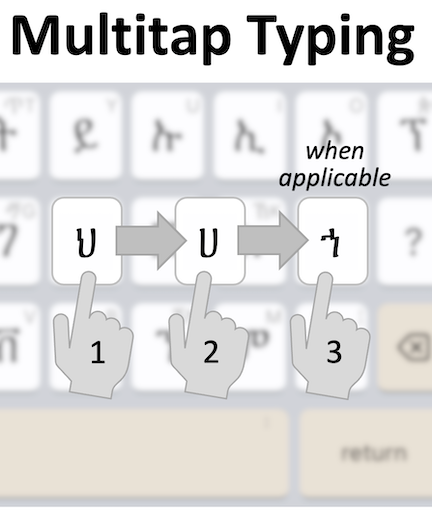
Multitap Typing
Every key also supports “multitaps” to making typing even faster. See the help file for full details.
Diese Tastatur wird auf diesem Gerät nicht unterstützt. Möglicherweise finden Sie unten weitere Optionen.
Diese Tastatur wird auf diesem Gerät nicht unterstützt. Möglicherweise finden Sie unten weitere Optionen.
Diese Tastatur wird auf diesem Gerät nicht unterstützt. Möglicherweise finden Sie unten weitere Optionen.
Tastatur installieren
Installiert gff_amharic_classic.kmp für Android auf diesem Gerät
Tastatur installieren
Installiert gff_amharic_classic.kmp für iPhone and iPad auf diesem Gerät
Diese Tastatur wird auf diesem Gerät nicht unterstützt. Möglicherweise finden Sie unten weitere Optionen.
Tastatur online verwenden
Verwenden Sie GFF Amharic Classic in Ihrem Webbrowser. Sie müssen nichts installieren.
Scannen Sie diesen Code, um diese Tastatur auf einem anderen Gerät zu laden
Details der Tastatur
| Tastatur ID | gff_amharic_classic |
|---|---|
| Unterstützte Plattformen | Mobile webWebAndroidiPhone and iPad |
| Autor | The Ge'ez Frontier Foundation |
| Lizenz | MIT |
| Dokumentation | Hilfe zur Tastatur |
| Quelle | release/gff/gff_amharic_classic |
| Tastaturversion | 3.0 |
| Zuletzt aktualisiert | 2025-09-04 21:31 |
| Status | Stable |
|---|---|
| Paket herunterladen | gff_amharic_classic.kmp |
| Monatliche Downloads | 317 |
| Gesamtzahl der Downloads | 4,760 |
| Encodierung | Unicode |
| Minimale Keyman Version | 15.0 |
| Ähnliche Tastaturen | gff_amharic |
| Unterstützte Sprachen | Amharic |
Permanenter Link zu dieser Tastatur: https://keyman.com/keyboards/gff_amharic_classic
This page has not yet been updated for languages other than English. Can you help make this happen?
This page is not yet available in your selected language. Help us translate this page