



We need your support: can you donate the cost of a takeaway coffee a week? Please consider a donation
Scannez ce code pour charger ce clavier sur un autre appareil
Clavier GFF Amharic Classic
This is an Amharic (amh, አማርኛ) language mnemonic input method for mobile platforms designed in the style of English “QWERTY” layout as found on iPhones and iPads. The package should only be installed on mobile and tablet devices. The keyboard is also suitable for Tigrinya and Agew languages such as Awngi, Blin, and Khimtanga.
If you are seeking an Amharic keyboard for a laptop, desktop, or workstation computer, please use GFF Amharic instead.
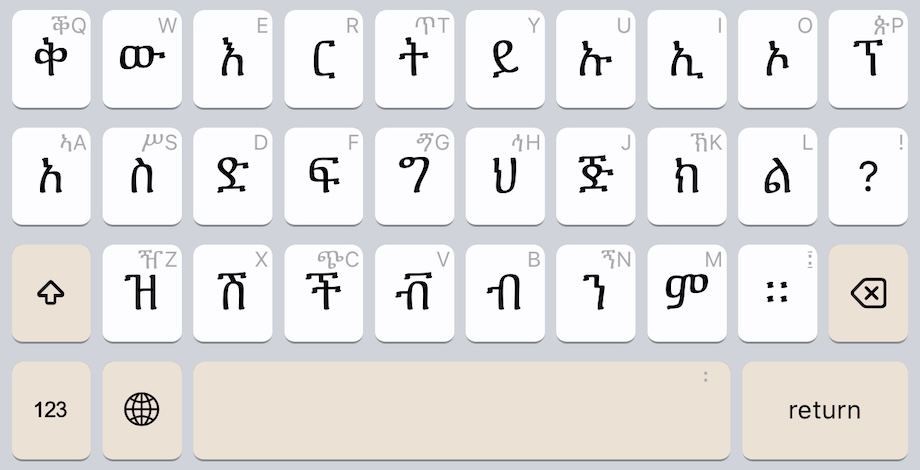
Keyboard Initial State
The keyboard begins in the familiar layout used on English (Latin Alphabet) keyboards:
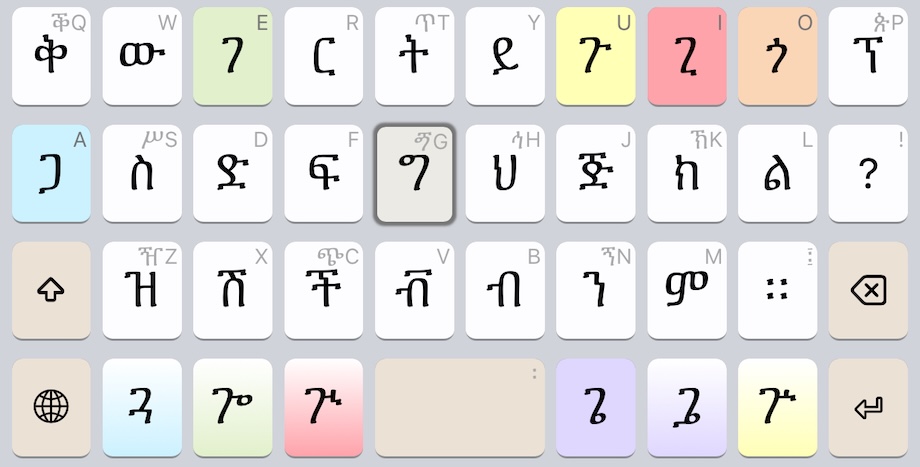
The keyboard updates as you type. For example, this is the keyboard change after pressing the ግ key:
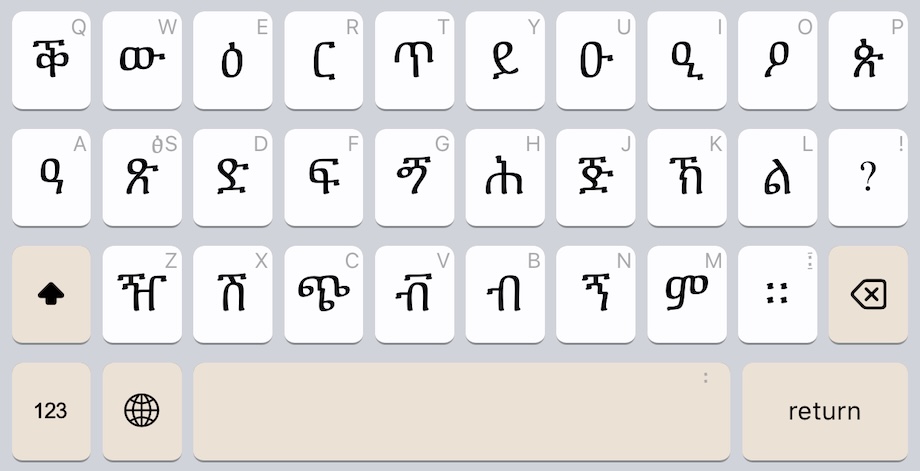
Keyboard Shifted State
Just as with English keyboards, the SHIFT key makes more letters appear:
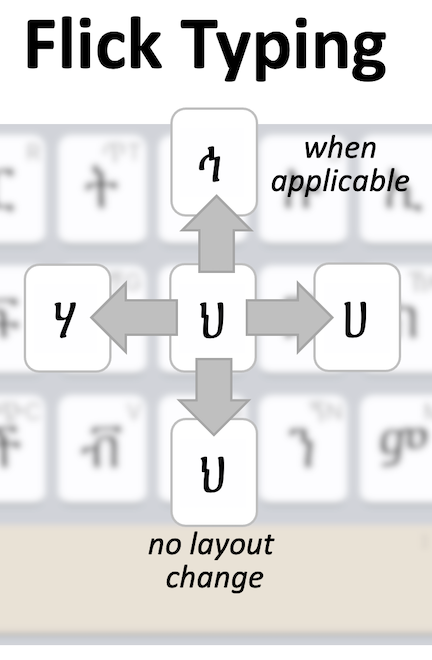
Flick Typing
Every key supports “flicking” to making typing even faster. See the help file for full details.
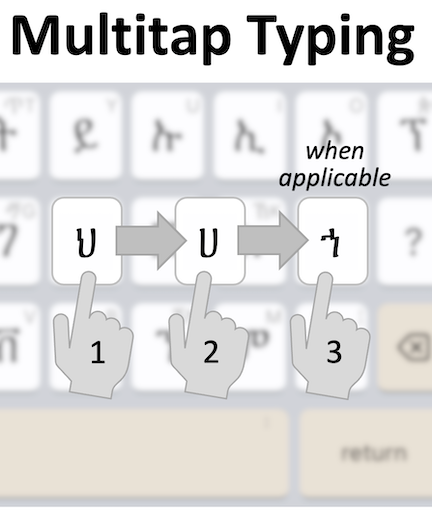
Multitap Typing
Every key also supports “multitaps” to making typing even faster. See the help file for full details.
Ce clavier n'est pas compatible avec cet appareil. Vous trouverez d'autres options ci-dessous.
Ce clavier n'est pas compatible avec cet appareil. Vous trouverez d'autres options ci-dessous.
Ce clavier n'est pas compatible avec cet appareil. Vous trouverez d'autres options ci-dessous.
Installer le clavier
Installer gff_amharic_classic.kmp pour Android sur cet appareil
Installer le clavier
Installer gff_amharic_classic.kmp pour iPhone and iPad sur cet appareil
Ce clavier n'est pas compatible avec cet appareil. Vous trouverez d'autres options ci-dessous.
Utiliser le clavier en ligne
Utiliser GFF Amharic Classic dans votre navigateur Web. Aucune installation n'est nécessaire.
Scannez ce code pour charger ce clavier sur un autre appareil
Détails du clavier
| ID du clavier | gff_amharic_classic |
|---|---|
| Plateformes prises en charge | Mobile webWebAndroidiPhone and iPad |
| Auteur | The Ge'ez Frontier Foundation |
| Licence | MIT |
| Documentation | Aide au clavier |
| Source | release/gff/gff_amharic_classic |
| Version clavier | 3.0 |
| Dernière mise à jour | 2025-09-04 21:31 |
| Status | Stable |
|---|---|
| Téléchargement du package | gff_amharic_classic.kmp |
| Téléchargements mensuels | 317 |
| Téléchargements totaux | 4,760 |
| Codage | Unicode |
| Version minimale de Keyman | 15.0 |
| Claviers associés | gff_amharic |
| Langues prises en charge | Amharic |
Lien permanent vers ce clavier: https://keyman.com/keyboards/gff_amharic_classic
This page has not yet been updated for languages other than English. Can you help make this happen?
This page is not yet available in your selected language. Help us translate this page