



We need your support: can you donate the cost of a takeaway coffee a week? Please consider a donation
Escanee este código para cargar este teclado en otro dispositivo
Teclado GFF Amharic Classic
This is an Amharic (amh, አማርኛ) language mnemonic input method for mobile platforms designed in the style of English “QWERTY” layout as found on iPhones and iPads. The package should only be installed on mobile and tablet devices. The keyboard is also suitable for Tigrinya and Agew languages such as Awngi, Blin, and Khimtanga.
If you are seeking an Amharic keyboard for a laptop, desktop, or workstation computer, please use GFF Amharic instead.
Keyboard Initial State
The keyboard begins in the familiar layout used on English (Latin Alphabet) keyboards:
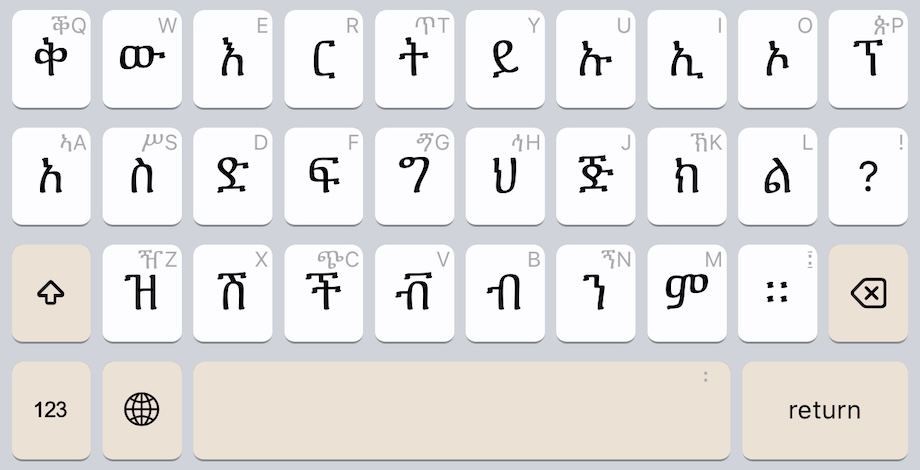
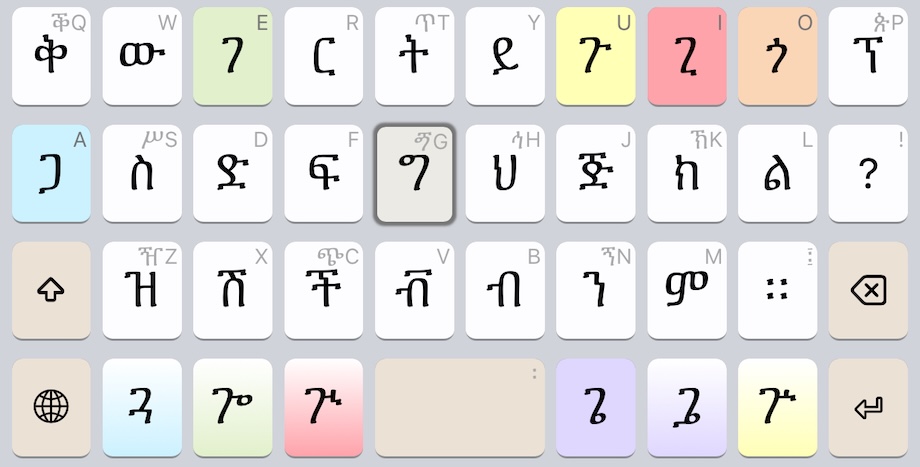
The keyboard updates as you type. For example, this is the keyboard change after pressing the ግ key:
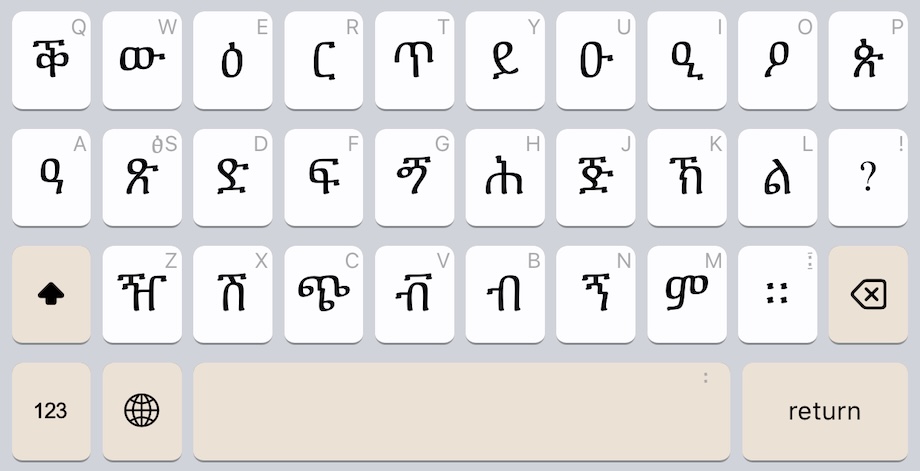
Keyboard Shifted State
Just as with English keyboards, the SHIFT key makes more letters appear:
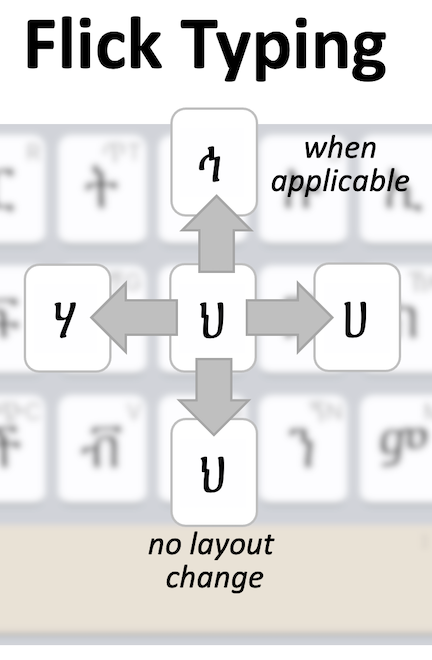
Flick Typing
Every key supports “flicking” to making typing even faster. See the help file for full details.
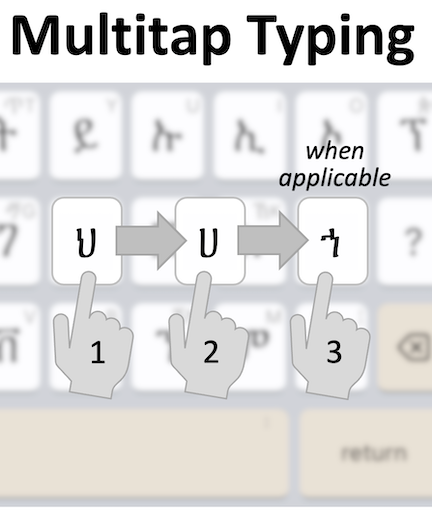
Multitap Typing
Every key also supports “multitaps” to making typing even faster. See the help file for full details.
Este teclado no es compatible con este dispositivo. Puede encontrar otras opciones a continuación.
Este teclado no es compatible con este dispositivo. Puede encontrar otras opciones a continuación.
Este teclado no es compatible con este dispositivo. Puede encontrar otras opciones a continuación.
Instalar teclado
Instalaciones gff_amharic_classic.kmp para Android en este dispositivo
Instalar teclado
Instalaciones gff_amharic_classic.kmp para iPhone and iPad en este dispositivo
Este teclado no es compatible con este dispositivo. Puede encontrar otras opciones a continuación.
Utilizar el teclado en línea
Usar GFF Amharic Classic en tu navegador web. No es necesario instalar nada.
Escanee este código para cargar este teclado en otro dispositivo
Detalles del teclado
| Identificación del teclado | gff_amharic_classic |
|---|---|
| Plataformas compatibles | Mobile webWebAndroidiPhone and iPad |
| Autor | The Ge'ez Frontier Foundation |
| Licencia | MIT |
| Documentación | Ayuda con el teclado |
| Fuente | release/gff/gff_amharic_classic |
| Versión de teclado | 3.0 |
| Última actualización | 2025-09-04 21:31 |
| Estado | Estable |
|---|---|
| Descarga del paquete | gff_amharic_classic.kmp |
| Descargas mensuales | 317 |
| Descargas totales | 4,760 |
| Codificación | Unicode |
| Versión mínima de Keyman | 15.0 |
| Teclados relacionados | gff_amharic |
| Idiomas compatibles | Amharic |
Enlace permanente a este teclado: https://keyman.com/keyboards/gff_amharic_classic
This page has not yet been updated for languages other than English. Can you help make this happen?
This page is not yet available in your selected language. Help us translate this page